
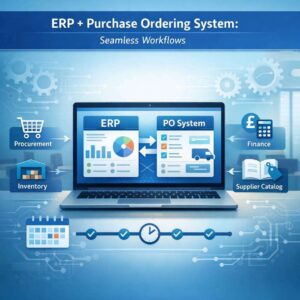
In modern business, an ERP system sits at the heart of operations, coordinating finance, inventory, procurement, and more. Yet even the most powerful ERP can hit friction points if purchasing processes aren’t streamlined. Integrating your ERP with a purchase ordering system creates a seamless flow from requisition to payment, reducing errors, speeding up approvals, and giving you real-time visibility across the organisation. Below, we’ll explore practical steps, benefits, and best practices for a smooth integration.
Why integration matters
A well-integrated system ensures that data moves effortlessly between the ERP and the po system software. When a purchase requisition becomes a purchase order automatically, accounting entries, vendor communications, and inventory updates happen in harmony. This eliminates duplicate data entry, reduces the risk of human error, and accelerates the procurement cycle. For organisations using cloud based purchase order software, integration can unlock even greater agility, with updates and improvements available without disruptive on-premise changes.
Key benefits include:
- End-to-end transparency: See requisition status, PO approvals, and goods receipts in one place.
- Improved control: Enforce approval workflows, budget checks, and compliance rules within the ERP context.
- Faster processing: Automate routine steps, from PO creation to goods receipt and invoicing.
- Better reporting: Harmonised data supports more accurate spending analysis and forecasting.
Planning your integration approach
A successful integration starts with clear objectives and a realistic plan. Here are practical steps to guide you:
1) Assess your current landscape
- Map existing processes: requisition creation, approval routing, PO generation, goods receipt, and invoicing.
- Identify data touchpoints: vendor master data, item codes, unit costs, tax rules, and budgeting attributes.
- Determine champions: assign procurement, finance, and IT stakeholders who will own different aspects of the project.
2) Choose the right po system software
- Consider a po system that supports your core ERP data models or offers robust integration capabilities (APIs, webhooks, batch imports).
- If you’re evaluating options, think about how well it handles cloud based purchase order software for remote teams, multi-currency purchasing, and complex approval hierarchies.
- Look for pre-built adapters or connectors for your ERP vendor to reduce implementation risk and time.
3) Define the integration architecture
- Decide on a single source of truth: will the ERP remain the master for supplier and item data, or will the po system software maintain its own records with periodic synchronisation?
- Choose synchronisation cadence: real-time, near-real-time, or scheduled batches depending on business needs.
- Establish error handling and retries: what happens when data mismatches occur, and who is alerted?
4) Design approval and exception rules
- Mirror your existing approval flows in the integrated solution, ensuring that dual controls, budget checks, and audit trails are preserved.
- Plan for exceptions: approves, overrides, or manual PO creation in special cases, with full traceability.
5) Plan for data quality and governance
- Cleanse supplier and item data before go-live.
- Establish data hygiene rules post-implementation (e.g., mandatory field validation, duplicate detection).
6) Prepare for change management
- Provide training for end-users on the integrated workflow.
- Create quick-reference guides showing how the requisition-to-PO process works within the ERP context.
- Set up a support channel for the first 90 days post go-live.
Designing a seamless workflow
A well-designed integration creates a smooth journey from purchase requisition to payment:
- Requisition creation: Users raise a purchase request within the ERP, pulling supplier data and item details from master data. This triggers acceptance rules and budget checks.
- PO generation: Once approved, the system automatically generates a purchase order, aligning with your po system software’s formats and workflows. For cloud based purchase order software, this can also push the PO to the supplier via electronic channels.
- PO approvals: The purchase order routes through configured approvals, with status updates reflected in both systems.
- Goods receipt and invoicing: When items arrive, the ERP records the receipt, updating inventory and financials. Invoices linked to the PO are matched for three-way matching (PO, receipt, and invoice) to prevent discrepancies.
- Reporting and analytics: With harmonised data, procurement and finance gain live insights into spend, supplier performance, and forecast accuracy.
If you operate in the UK or partner with vendors in the UK, consider a purchase order software UK that aligns with UK accounting standards and tax rules. A solution that understands VAT treatment, CIS, and country-specific reporting will minimise post-implementation adjustments.
A purchase ordering system streamlines procurement, boosting accuracy, speed, and cost control for teams across departments. With intuitive dashboards, users track requests, approvals, and supplier performance in real time. For scalable solutions, explore options at https://cloudb2b.co.uk/ to optimize workflows and enhance purchasing efficiency.
Practical tips for a smooth deployment
- Start with a pilot: Run a controlled pilot with one department or supplier group before a company-wide rollout. This helps you identify gaps without disrupting critical operations.
- Use industry-standard formats: Ensure your po system supports standard PO formats (and their digital equivalents) to improve supplier adoption and reduce rework.
- Establish strong master data governance: Clean supplier, item, and chart-of-accounts data before go-live and maintain it thereafter.
- Plan for security and access: Implement role-based access controls so users can perform only the actions relevant to their role, mitigating risk.
- Align with cloud benefits: If you opt for cloud based purchase order software, take advantage of automatic updates, scalability, and remote access while ensuring data sovereignty and backup strategies meet your obligations.
Choosing the right terms and technology
When evaluating options, you’ll encounter terms like po software, purchase order system, and po system. While they describe related concepts, their contexts vary:
- po system software typically refers to the comprehensive module (or suite) that handles purchase orders within or alongside ERP systems.
- purchase order system and purchasing order system are often used interchangeably to describe the workflow from requisition to PO issuance and approval.
- cloud based purchase order software emphasises hosted, scalable solutions accessible from anywhere, with ongoing updates.
- a robust po system will offer API connectivity, event-driven integrations, and support for data mapping between ERP and the po system.
In summary, integrating your ERP with a purchase ordering system is about aligning data, automating routine steps, and enforcing governance across the procurement lifecycle. Whether you’re migrating to a cloud based purchase order software or enhancing an on-premises setup, the goal remains the same: to enable seamless workflows, better control, and clearer insights. By planning thoughtfully, selecting a compatible po system software, and prioritising data quality and change management, you’ll realise tangible gains in speed, accuracy, and budget compliance across your organisation.
A robust purchase ordering system optimizes procurement, improves inventory control, and reduces maverick spending. It streamlines approvals, enhances supplier communication, and strengthens budget adherence. For deeper insights, explore this resource: https://www.sumup.com/en-us/business-guide/what-is-a-purchase-order/